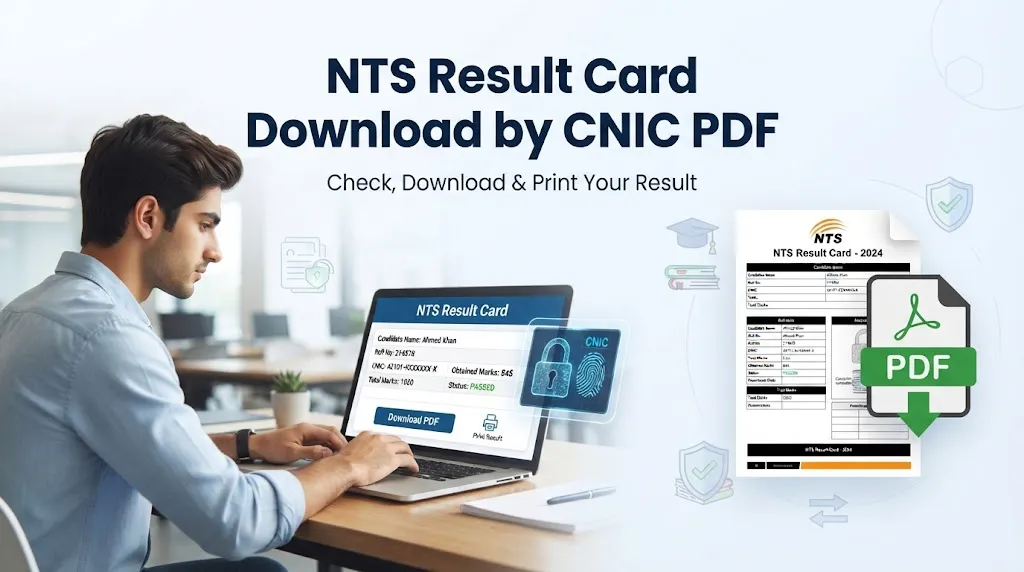
Looking for NTS result card download by CNIC PDF? If you have appeared in an NTS test and want to check your marks or keep a digital copy of your result, you can usually access the result online using your CNIC and the required verification code.
The National Testing Service (NTS) conducts different tests for university admissions, scholarships, government jobs, private-sector recruitment, and other purposes. Because there are many tests and projects, candidates need to select the correct test or project before checking their result.
Once your result appears online, you can save it as a PDF using the print option on your computer or mobile device.
This guide explains how to check your NTS result by CNIC, download the result card in PDF format, print it, and request a duplicate result card if your original copy is lost.
NTS Result Card Download by CNIC PDF
The NTS online result system allows candidates to find their results by providing the information requested on the relevant result page.
In many cases, the main information required is your 13-digit CNIC number and a verification code.
The process is simple:
- Open the NTS results section.
- Find your relevant test or project.
- Enter your CNIC number.
- Enter the verification code.
- Submit the search.
- View your result.
- Use the print option to save it as a PDF.
The exact fields and procedure can vary depending on the NTS test or project, so always follow the instructions displayed on the particular result page.
What Do You Need to Check Your NTS Result?
Before starting the result search, keep your basic information ready.
| Requirement | Information |
|---|---|
| CNIC | 13-digit CNIC number |
| Verification code | Code displayed on the result page |
| Test details | Name or project of the test |
| Device | Mobile phone, tablet, laptop, or computer |
| Internet | Active internet connection |
Your CNIC should match the information you used when registering for the NTS test.
How to Check NTS Result by CNIC
1. Open the NTS Result Section
Start by opening the official NTS result section. Look for the latest results or the project related to the test you took.
NTS conducts several examinations, so your result may be listed under a particular project rather than simply under the general name of the test.
2. Find Your Test or Project
Search through the available result projects and identify the one related to your examination.
Depending on the candidate, the test could be related to:
- NAT
- GAT-General
- GAT-Subject
- University admission
- Government recruitment
- Private recruitment
- Scholarships
- Other NTS projects
Check the test name carefully before entering your information.
3. Enter Your CNIC Number
Enter your 13-digit CNIC number in the required field.
Some NTS result pages may ask you to enter the CNIC with dashes, while others may accept or require the number without dashes. Follow the format displayed on the specific page.
For example, if the page specifies a particular format, enter your CNIC exactly as requested.
4. Enter the Verification Code
The result page may display a verification or security code.
Enter the code carefully in the required box. If you enter an incorrect code, the search may not work.
If the displayed code is difficult to read, use the available refresh option, if provided, to generate another code.
5. Submit the Search
After entering your CNIC and verification code, select the search or submit button.
If the information is correct and your result has been published, your result should appear on the screen.
Depending on the test, the result page may show your marks, test information, and other details.
How to Download NTS Result Card as PDF
After checking your result, you may want to keep a digital copy.
You do not necessarily need a separate download button to create a PDF. If the result page can be printed, your browser can usually save the page as a PDF.
On a Computer
Follow these steps:
- Open your NTS result.
- Press Ctrl + P on a Windows computer.
- Wait for the print preview to open.
- Select Save as PDF as the destination.
- Check the page preview.
- Click Save.
- Choose a location on your computer.
- Give the file a suitable name and save it.
For example, you could name the file:
NTS Result Card – CNIC.pdf
This makes it easier to find later.
On a Mobile Phone
You can also save your NTS result from a smartphone if the result page supports printing.
Open the result in your mobile browser and look for an option such as:
- Share
- Save
- Print to PDF
The exact option depends on your phone and browser.
If Save as PDF is available, select it and save the file to your device.
How to Print NTS Result Card
If you need a physical copy of your result, you can print the result after opening it online.
On a computer, press Ctrl + P and select your printer.
Before printing, check the preview carefully. Make sure your name, marks, test information, and other important details are visible.
If you do not have a printer, save the result as a PDF first. You can then take the PDF file to a printing shop.
NTS Result Not Showing by CNIC? Try These Steps
Sometimes candidates enter their information but cannot find their result. This does not always mean that the result is missing.
There are several things you can check.
| Possible Problem | What You Should Do |
|---|---|
| Wrong project selected | Select the project for your actual test |
| Incorrect CNIC | Recheck all 13 digits |
| Wrong CNIC format | Follow the format shown on the page |
| Incorrect verification code | Enter the code again |
| Result not published | Check whether NTS has announced the result |
| Temporary website issue | Refresh the page and try again |
| Browser problem | Try another browser or device |
If your result is still unavailable, check the information provided by NTS for your specific test.
Why Is the Correct NTS Project Important?
One of the most common mistakes candidates can make is searching the wrong project.
NTS handles results for many different tests and organizations. Two candidates may have taken NTS tests around the same time but have completely different result pages.
For this reason, do not rely only on the test name. Check the project name, test date, organization, and other available details before selecting a result.
Can I Download an Old NTS Result?
Whether an older result is available online depends on the particular NTS test and the availability of its result record.
If you cannot find an old result through the online system, check the relevant NTS information or contact NTS to determine whether another method is available.
Do not assume that every previous test will remain available through the same online search page.
What If You Lost Your NTS Result Card?
If your original NTS result card was lost, damaged, or never delivered, you may be able to request a duplicate result card.
NTS provides forms and instructions for certain duplicate result card requests through its downloads and recheck section.
The requirements can depend on the test you took.
Before sending a request, check the latest instructions and use the form applicable to your examination.
Duplicate NAT Result Card
If you appeared in the NAT and need another copy of your result card, check the NTS duplicate result card procedure for NAT candidates.
You may need to complete the relevant duplicate result card form and provide the information requested by NTS.
Read the current instructions carefully before submitting your application because requirements can change.
Duplicate GAT Result Card
Candidates who took the GAT-General or GAT-Subject should check the applicable NTS procedure if they require a duplicate result card.
Use the appropriate form and provide all information requested by NTS.
If a payment or bank deposit is required, follow the current instructions regarding the amount, payment method, and submission process.
Documents Needed for a Duplicate Result Card
The documents and information required can vary according to the NTS test.
A duplicate result card request may involve the following:
| Requirement | Possible Purpose |
|---|---|
| Duplicate result card form | Used to request another copy |
| Written application | Explains the request |
| CNIC details | Identifies the candidate |
| Bank deposit slip | Proof of payment, where applicable |
| Test information | Helps identify the relevant result |
Always confirm the latest requirements before submitting your application.
Difference Between NTS Online Result and Result Card
An online result and a formal result card should not automatically be treated as the same document.
An online result allows you to check your marks and other available information through the NTS system.
A result card is a document that may be requested by an educational institution, employer, or other organization.
If an organization specifically asks for an NTS result card, check its requirements before submitting a screenshot or an online result.
Tips for Keeping Your NTS Result Safe
Once your result becomes available, it is a good idea to keep more than one copy.
You can:
- Save the result as a PDF.
- Keep a copy on your phone.
- Store a backup on a computer or cloud storage.
- Print a physical copy if required.
- Keep your test information for future reference.
Saving your result immediately can save time if you need it later for